
Does VMware Fusion run Windows XP Professional?
Tue 15 Jan 2008Filed Under: Apple Computers, Computers, VMware Fusion | Comments Off on Does VMware Fusion run Windows XP Professional?
Yes like XP Home, Fusion works perfectly. See the earlier post for more comments.
Does VMware Fusion run Windows XP Home?
Tue 15 Jan 2008Filed Under: Apple Computers, Computers, VMware Fusion | Leave a Comment
This is a series of posts where I’m listing software I’ve installed on the Fusion drive.
Yes, VMware Fusion for Mac works perfectly with Windows XP Home SP1 and SP2.
I did not have to adjust any ‘special’ settings to make it run. Just ran the Fusion and put the disk in and followed the instructions.
Just make sure you install it within in VMware since the XP boot disk actually boots in OS X first!
VMware Review
Sat 12 Jan 2008Filed Under: Apple Computers, Computers, VMware Fusion | Leave a Comment
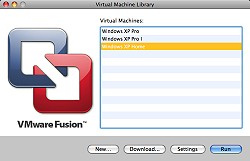
After my first few weeks with VMWare Fusion I have to say that this is a great piece of software. It works as advertised and I now have three Windows XP installations working on the MacBook. So far I have not had any system or program errors.
No, I haven’t breached any license rules (for those self righteous types). I have Three genuine XP discs! I bought one to upgrade from Windows 98 years ago on the old PC and realised I needed an entire new PC to make it work properly which I then didn’t use. The other from the PC I built for an ex-partner which was returned for obvious reasons and finally one from work. Anyway enough of the history…
The sad part is that when I copied the actual VMware Fusion file containing XP to the backup drive and ran it out of curiosity it also worked fine. So I wasted hours installing three versions on the Macbook!
Mind you installing the OS’s was a simple process of selection how much HD space you want that version to use and how much system memory.
VMware’s and the Macbook’s overall speed is excellent. In the time it takes to fully boot Windows Vista on a separate PC I had the Mac running with OSX booted and XP running at the same time.
It also allows you to run various non-Apple and Windows operating systems on your Apple Mac including the various versions of Linux and Novell Netware as I understand.
So far the only issue I have with Fusion is that it doesn’t seem to allocate Ctrl-‘select’ properly. Ctrl-Shift select works perfectly though.